Academic management system · Pillar 1 of 7

Academic management system for schools

Timetable, syllabus, study material, live classes, attendance, exams and report cards in one school ERP, so teachers enter things once and the principal sees everything.

Get Price on WhatsApp
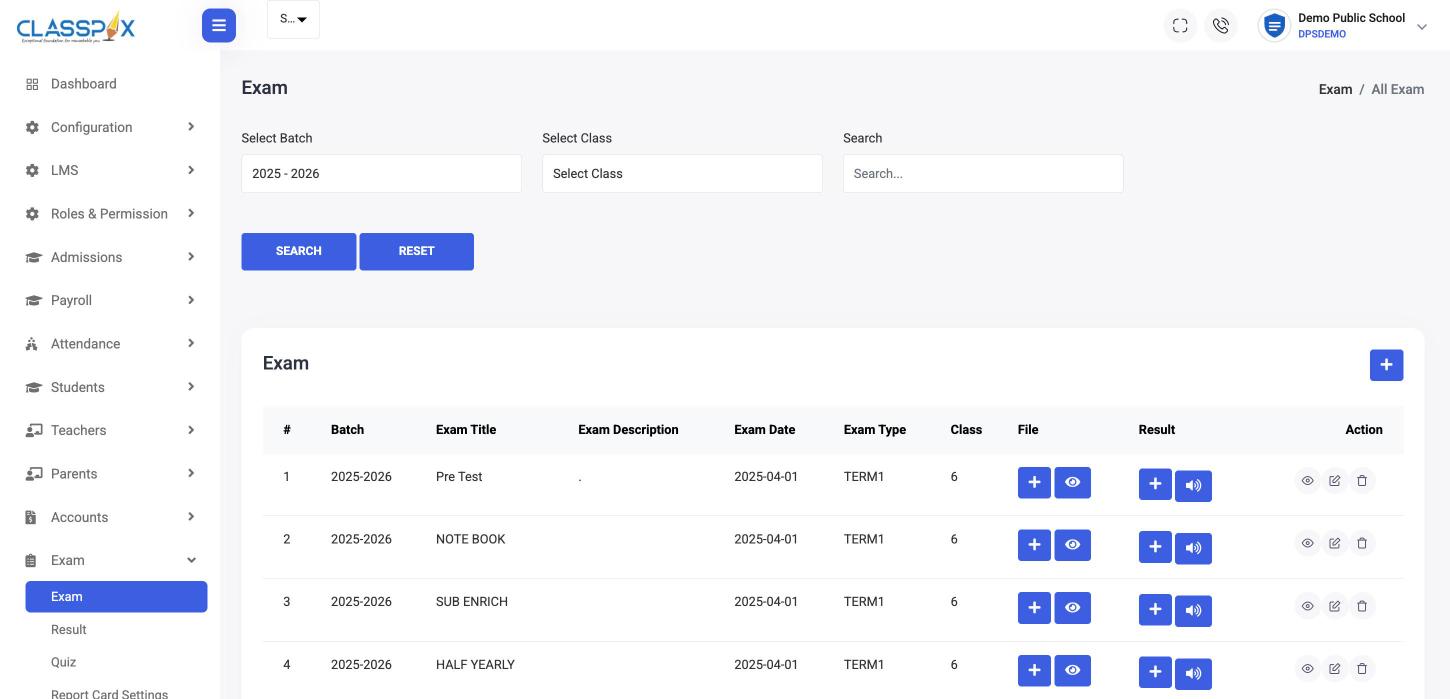
Exams set up per class and term — ClassPLX school management software screen
Exams per class and termAttach papers and results
Exams set up per class and term

Academic modules in ClassPLX

LMS

Learning management system

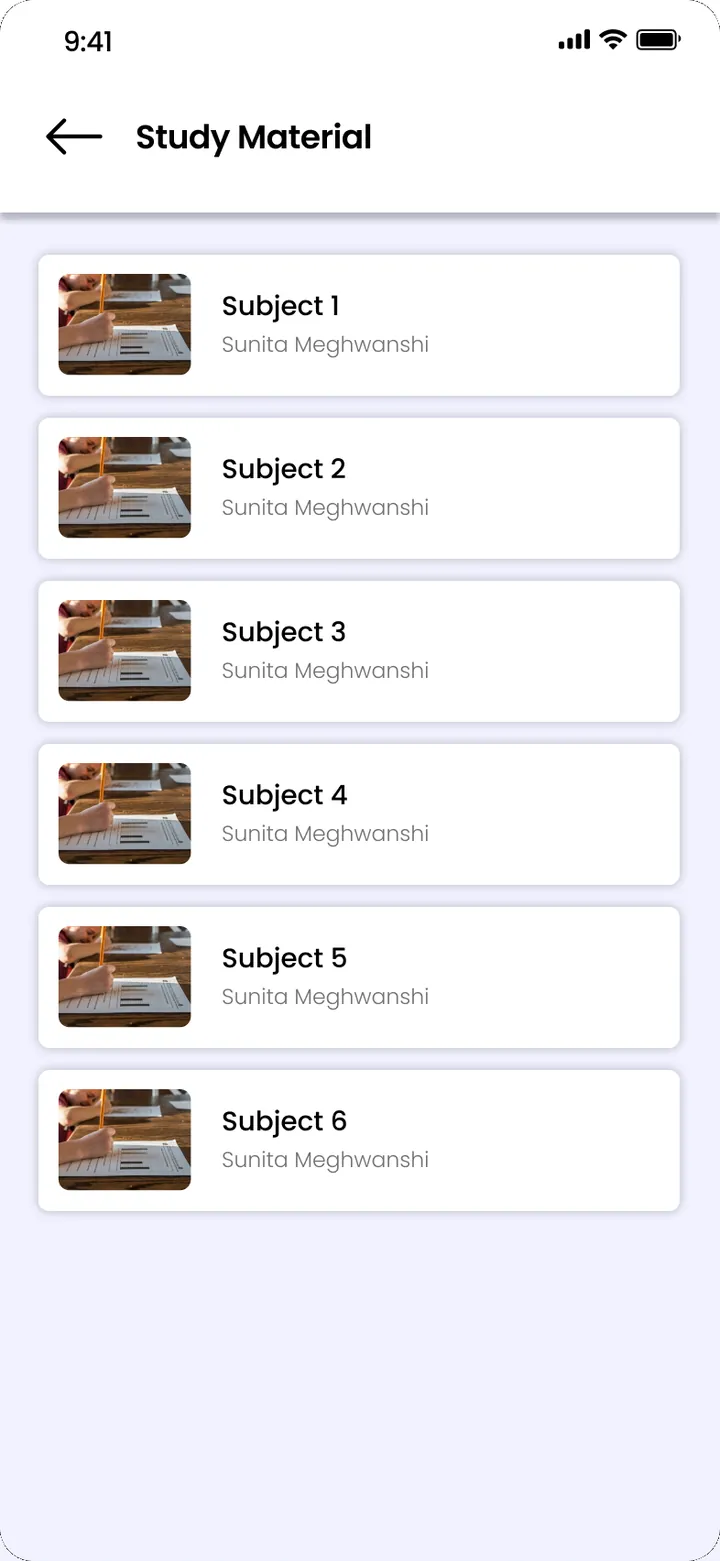
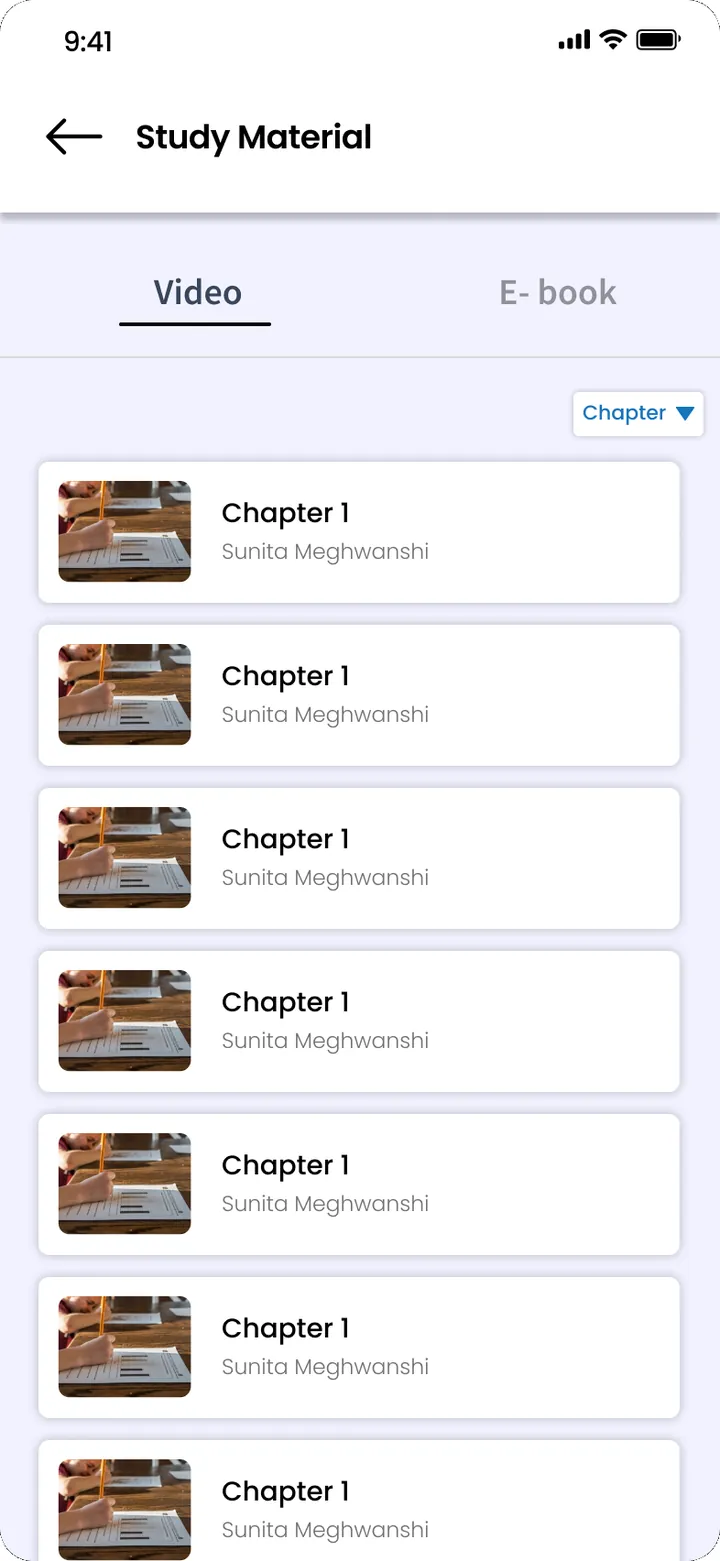
Subjects, chapters and content for every class and section. Teachers upload lesson material once; the syllabus sits beside it.

  • Subjects and chapters per class
  • Lesson content uploaded by class and section
  • Syllabus documents per class
LMS for schools →
LMS · ClassPLX app screens, sample data. Tap to try.
Timetable

Class routine and timetable

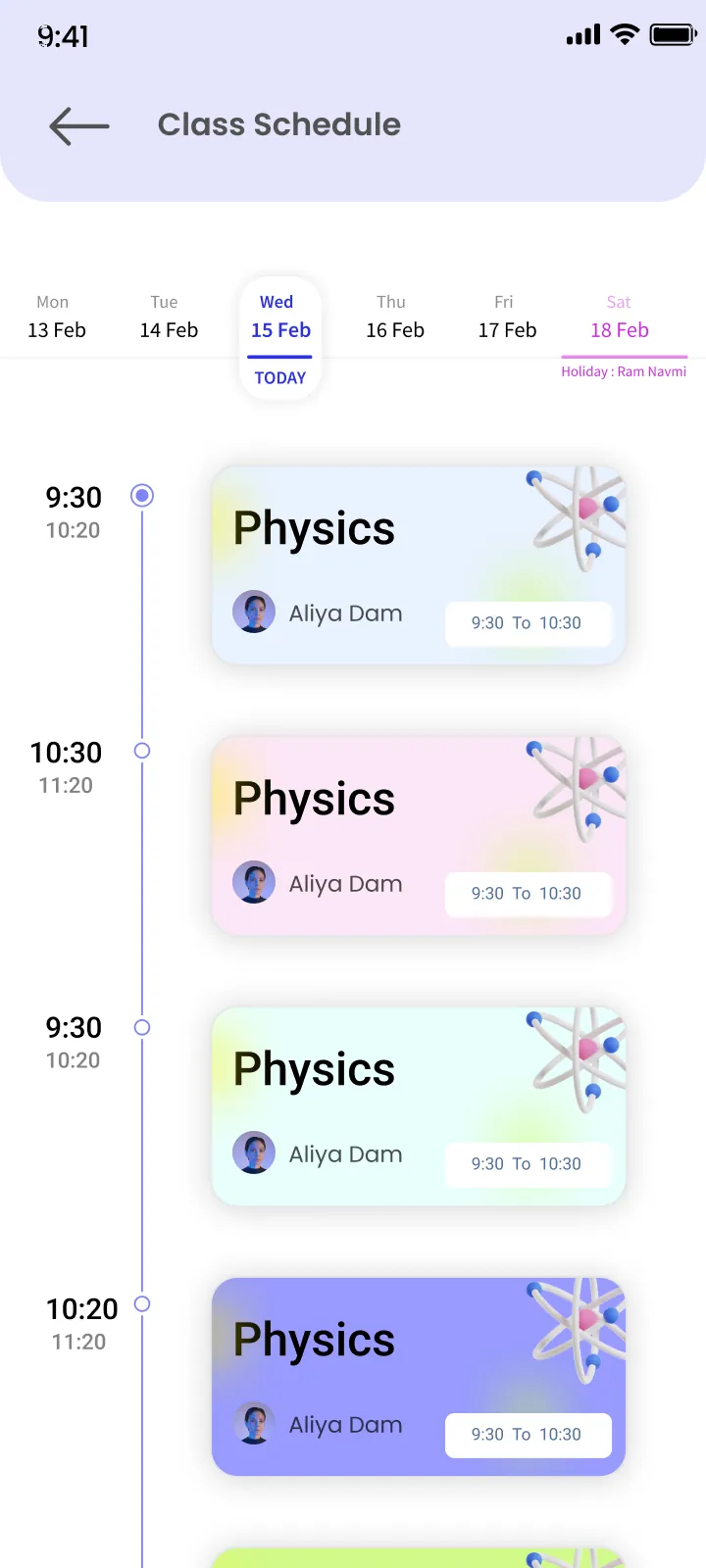
Build the routine from your periods (slots), classes and sections, then look it up by class or by teacher and print it.

  • Periods set once as slots
  • Routine by class and section
  • Teacher-wise routine view
  • Print the timetable
Class routine · ClassPLX app screens, sample data. Tap to try.
Live classes

Live classes

Schedule an online class with a title, start and end time, so students know when to join.

Attendance

Student and teacher attendance

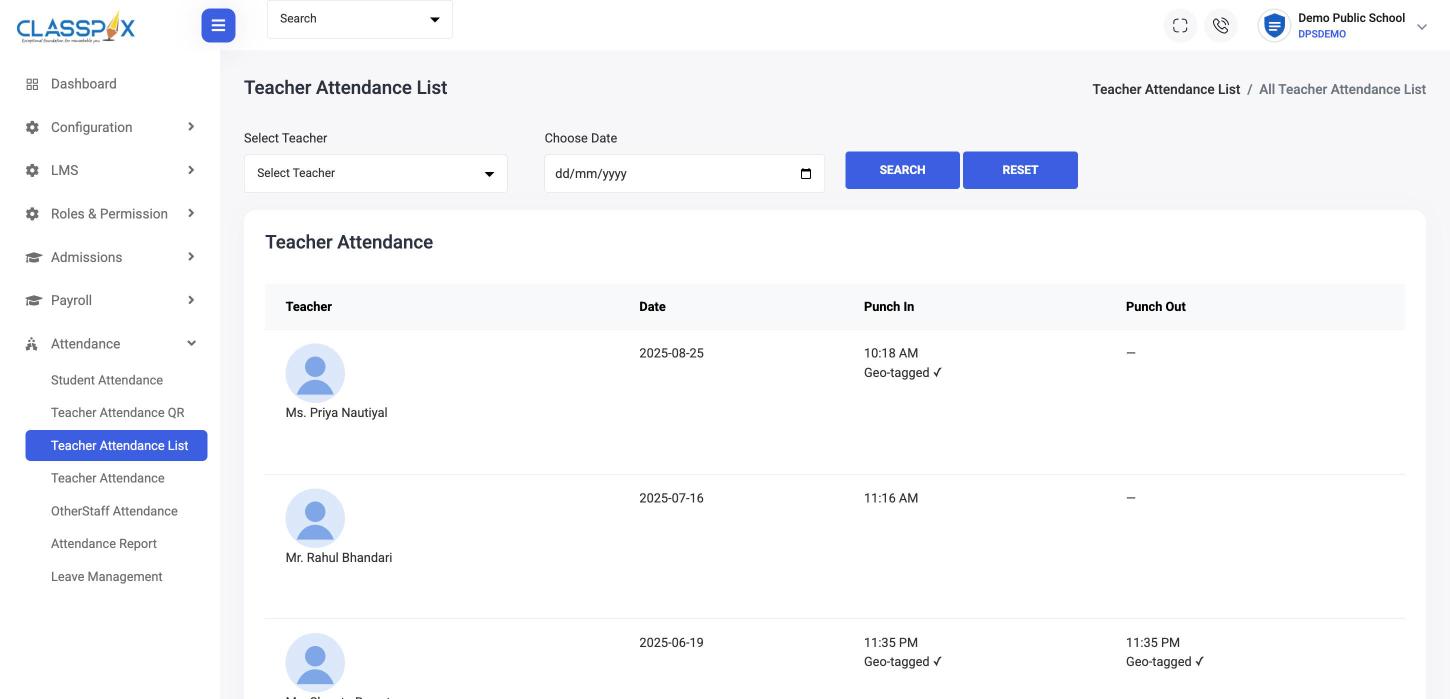
Class-wise student attendance with present, absent and leave counts; teacher attendance by QR with geo-tagged punch in and out.

Attendance management system →
Student and teacher attendance — ClassPLX screen
Teacher punch-in by QRGeo-tagged punch in and out
Teacher attendance
Exams

Exams, quizzes and report cards

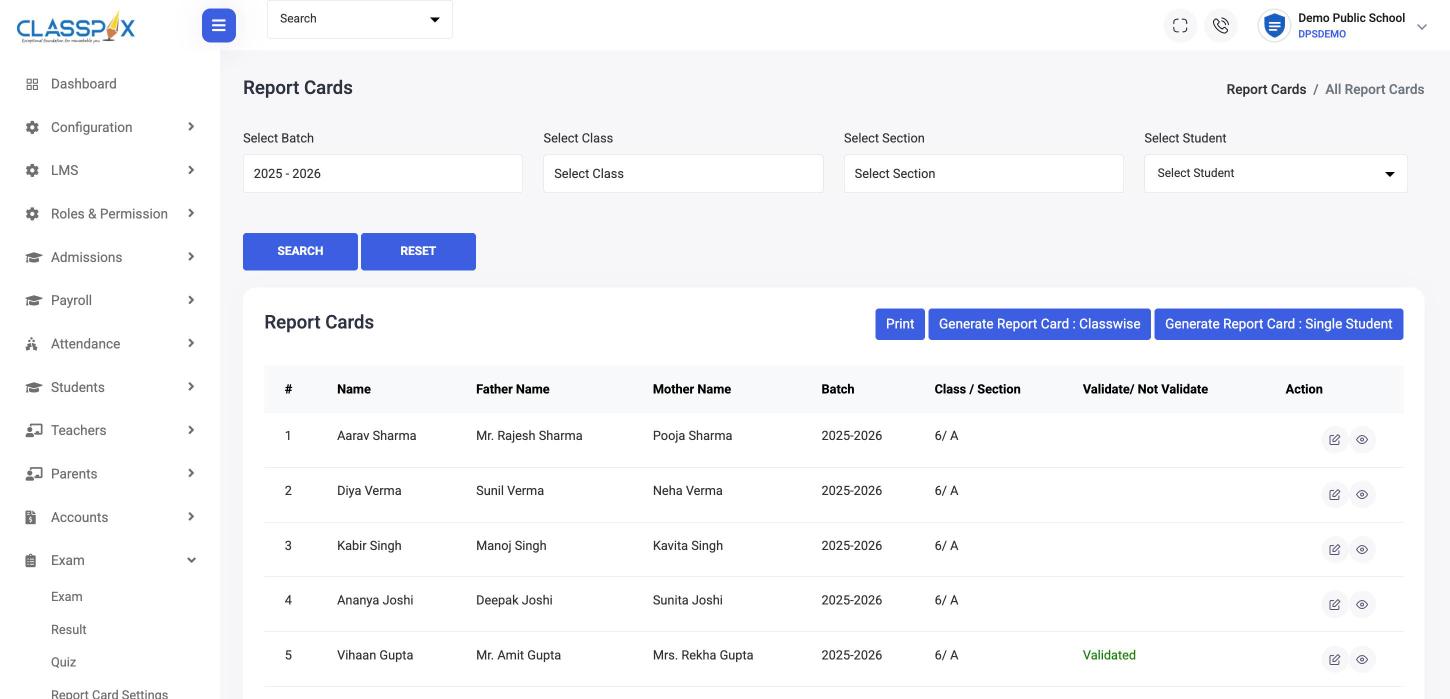
Set up exams per class and term, enter results, run quizzes and generate report cards class-wise or for one student. Admit cards print from the same data.

  • Exams per class, term and batch
  • Results and quizzes
  • Report card settings and generation
  • Admit cards for the whole school or one student
Exam and report card software →
Exams, quizzes and report cards — ClassPLX screen
Report cards, class-wise or one studentValidate before printing
Report cards

Who uses it

  • Teachers — attendance, lesson content and marks, without a second register.
  • Principal — routine, syllabus and exam status for every class.
  • Students and parents — routine, study material and results in the app.

Guide

What an academic management system does for a school

Academics is the work teachers do every day: routines, lessons, attendance, exams and results. An academic management system keeps all of it in one place so the principal can see the whole school without walking every corridor.

The six academic modules

  • Class routine (timetable): periods are set once as slots, then the routine is built for each class and section and viewed by class or by teacher. It prints for the notice board.
  • Syllabus: syllabus documents per class, so coverage is visible.
  • LMS: subjects, chapters and lesson content by class and section. See LMS for schools.
  • Attendance: student attendance class by class and teacher attendance by QR with geo-tagged punch in and out. See attendance management.
  • Examinations: exams per class and term, results, quizzes, report cards and admit cards. See exam and report card software.
  • Assignments: homework set by teachers and seen by students and parents in the app.

A day in the academic system

The class teacher marks attendance in the first period. Subject teachers check the routine for their next class, share the day's material in the LMS and set homework. At the end of term, the same teachers enter marks, and report cards are generated for each class. The principal sees attendance, routine and exam status for every class from one dashboard.

Why it should not be a separate tool

Many schools use one app for homework, another for online classes and Excel for marks. Each has its own class list that goes out of date when a student joins, leaves or changes section. In ClassPLX every academic module reads from the same student record used for fees and admissions, so the lists are always right and nothing is entered twice.

What parents and students see

In the ClassPLX app, students see their class routine, study material, assignments and results. Parents see the same, along with attendance and announcements, so they follow their child's school day without waiting for the PTM.

Boards

Exams and report cards work for CBSE, ICSE and state boards, including UBSE and UP Board.

Which plan

Report cards, admit cards and core records are in both plans. Attendance, the AI-assisted timetable, LMS, live classes and online quizzes are part of ClassPLX Plus. See pricing.
Academic management: FAQ

Which boards' exam patterns are supported?

CBSE, ICSE and state boards, including UBSE and UP Board.

Can we print report cards and admit cards from ClassPLX?

Yes. Report cards are generated class-wise or for a single student and validated before printing. Admit cards are generated for all students or one student.

Is there an LMS and live classes?

Yes. Subjects, chapters, lesson content and syllabus are in the LMS, and live classes can be scheduled with start and end times.

Can I see it with my own school's data?

Yes. Book a free demo and we set it up with your classes and fee structure, on a call or at your school.

Can the timetable be viewed teacher-wise?

Yes. The class routine can be viewed by class and section or by teacher, and printed.

Do teachers need separate apps for homework and study material?

No. Assignments and the LMS are part of ClassPLX, with the same class lists as attendance and exams.

See the academic modules with your timetable and exams.

A 30-minute walkthrough of ClassPLX on a call or at your school.

Get Price on WhatsApp
30 minutes · No obligation · Hindi or English