

Role-based access control
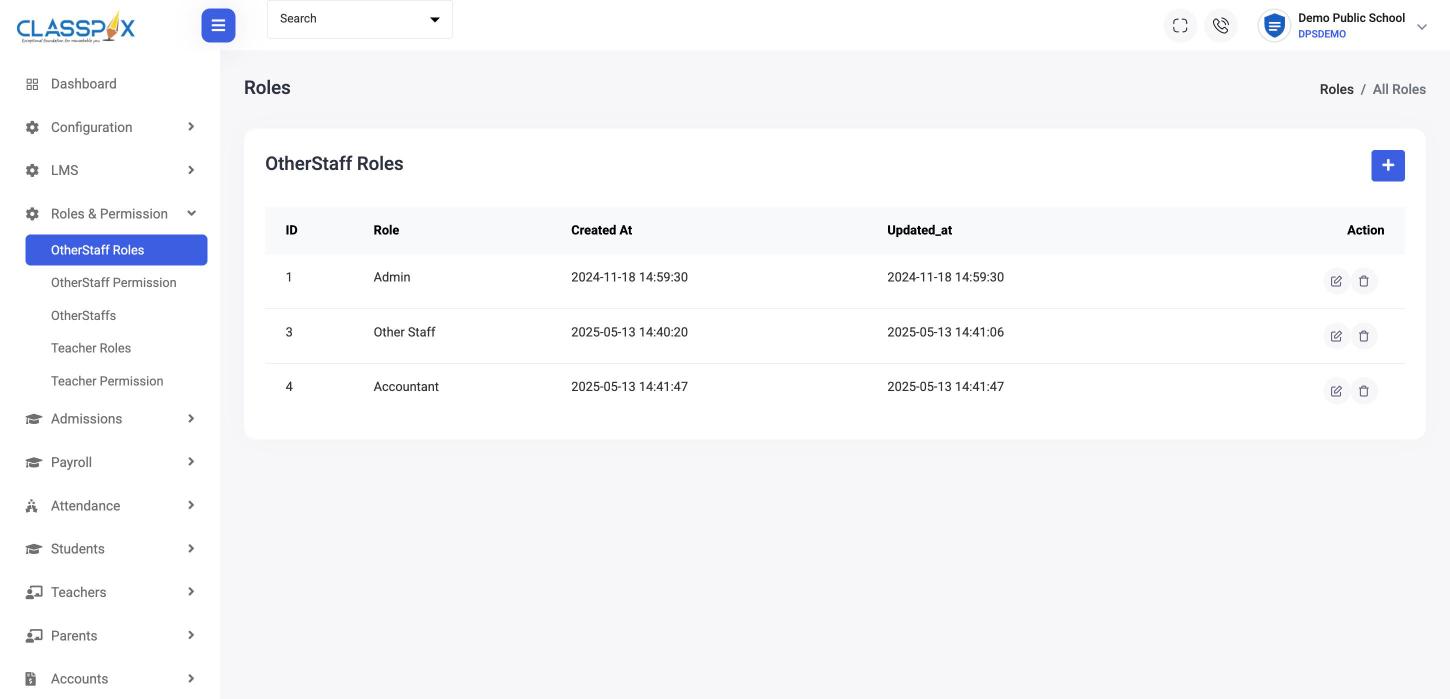
Roles and permissions for teachers and for office staff. Each login opens only what its role allows.
Secure school ERP · Pillar 7 of 7
Children's records need tighter access than a shared Excel file. ClassPLX gives every user their own login and only the screens their role allows.
Activity log · today
Who did what, and when.Audit Trail & Activity Logs
Sample dataRoles and permissions for teachers and for office staff. Each login opens only what its role allows.

Protects parent accounts: no password to forget or share; a one-time code to the registered mobile.
Protects teacher accounts: one active device per teacher, so a login cannot be shared around.
Protects the accounts that can change fees and records: a second check on every admin login.
Protects access when a password is lost: a controlled reset, not a shared master password.
Protects open screens: sessions expire, and an admin can sign a user out everywhere.
Protects the record: who changed what, when, so a disputed receipt or mark can be traced.
Protects against loss: scheduled backups and a tested restore.
Guide
A school holds children’s names, dates of birth, addresses, parents’ numbers, marks and fee records. That data deserves tighter control than an Excel file on the office computer or a shared admin password.
Role-based access control. Teachers and office staff have separate roles with their own permissions. Each login opens only the screens that role allows, so an accountant does not see marks entry and a teacher does not see salaries.
OTP login for parents. Parents sign in with a one-time code sent to their registered mobile. There is no password to forget or share.
Single-device login for teachers. Each teacher has one active device, so a login cannot be shared around.
Multi-factor authentication for admins. The accounts that can change fees and records get a second check at every login.
Password recovery and reset. A controlled reset instead of a master password passed around.
Session management. Sessions expire, and an admin can sign a user out everywhere, for example when a staff member leaves.
Audit trail and activity logs record who changed what and when. If a fee receipt or a mark is questioned, the history is there. Data backup and restore runs on a schedule, so a mistake or a failed computer does not mean lost records. Deleted invoices, transactions and admissions go to a bin first.
The school admin sets up roles and logins with help from our onboarding team. User right management is part of ClassPLX Plus; see pricing.
Yes. Teacher and office-staff roles each have their own permissions.
Yes. The audit trail records who changed what and when.
Yes. Deleted invoices, transactions and admissions go to a bin first and can be checked from there.
An admin removes or changes their role and can sign them out of every session, so the old login stops working.
No. Parents log in with a one-time code sent to their registered mobile number.

A 30-minute walkthrough of ClassPLX on a call or at your school.
30 minutes · No obligation · Hindi or English