



Admission management software

School admission management software

From the first enquiry to registration, admission and fees, in one flow. The admitted student appears in fees, attendance and exams without being typed again.
Get Price on WhatsApp
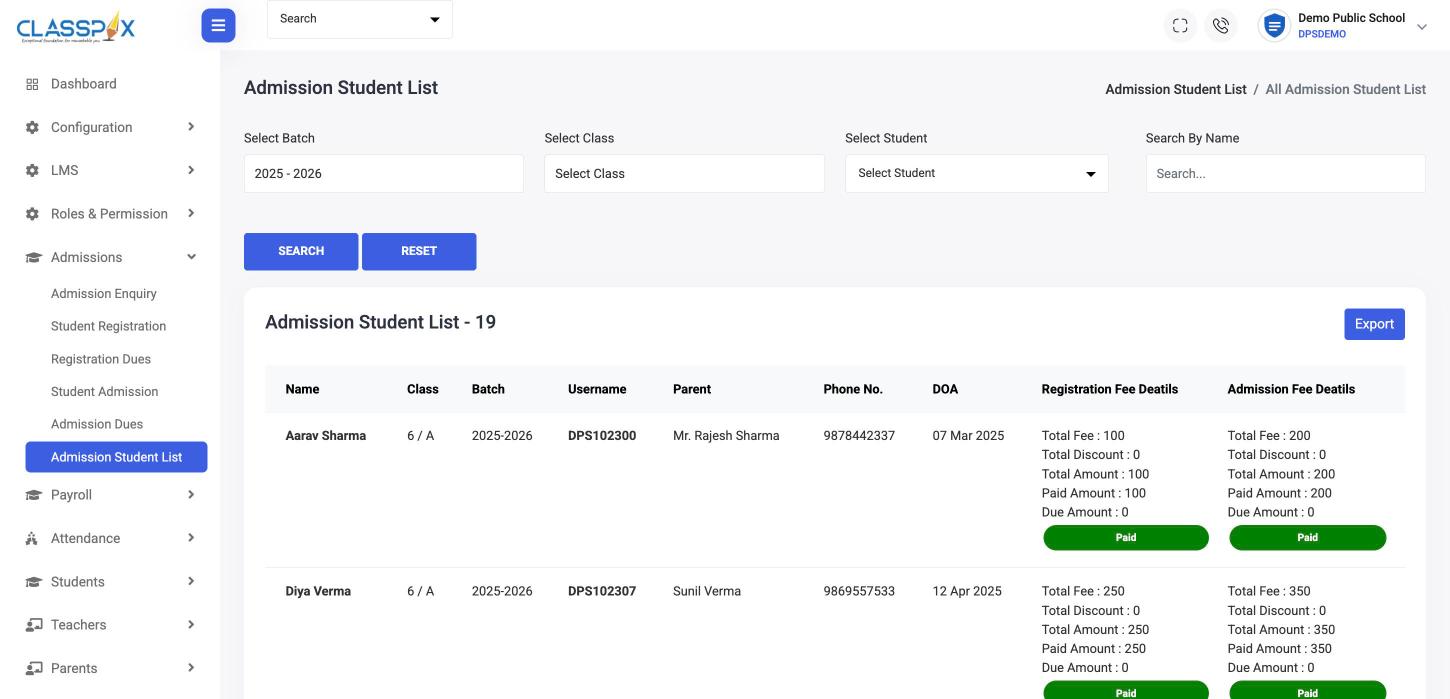
Admission list with registration and admission fee status — ClassPLX school management software screen
Registration and admission fee statusPaid or due, per studentExport the list
Admission list with registration and admission fee status

Why admissions get messy

Enquiries in a notebook

No follow-up date, no record of who called back.

Details retyped into every register

Office, accounts and class teacher each keep a copy.

Admission fees chased by memory

Who paid the registration fee? Ask the cashier.

How admissions work in ClassPLX

1

Record the enquiry

Student, parents, date of birth, class sought and remarks for the follow-up.

Fees2

Register, then admit

Registration and admission each have their fee and their dues list, so nothing is collected from memory.

3

The student record is ready

The admitted student is in the student list with class, section, parents and login. Bulk import works for existing students.
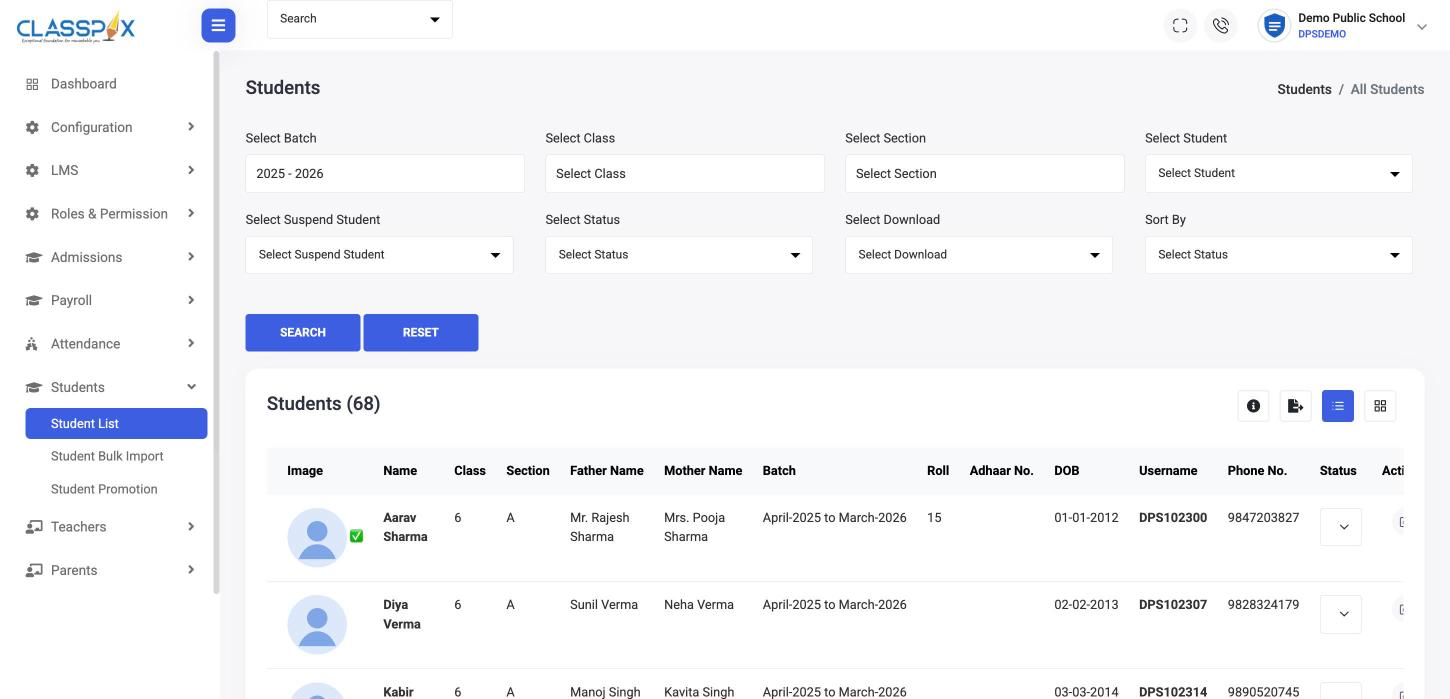
The student record is ready — ClassPLX screen
Bulk import from ExcelFilter by batch, class, sectionOne record per student
Student list
4

Promotion and TC when it is time

Promote students to the next class each year, and generate a transfer certificate when a student leaves.
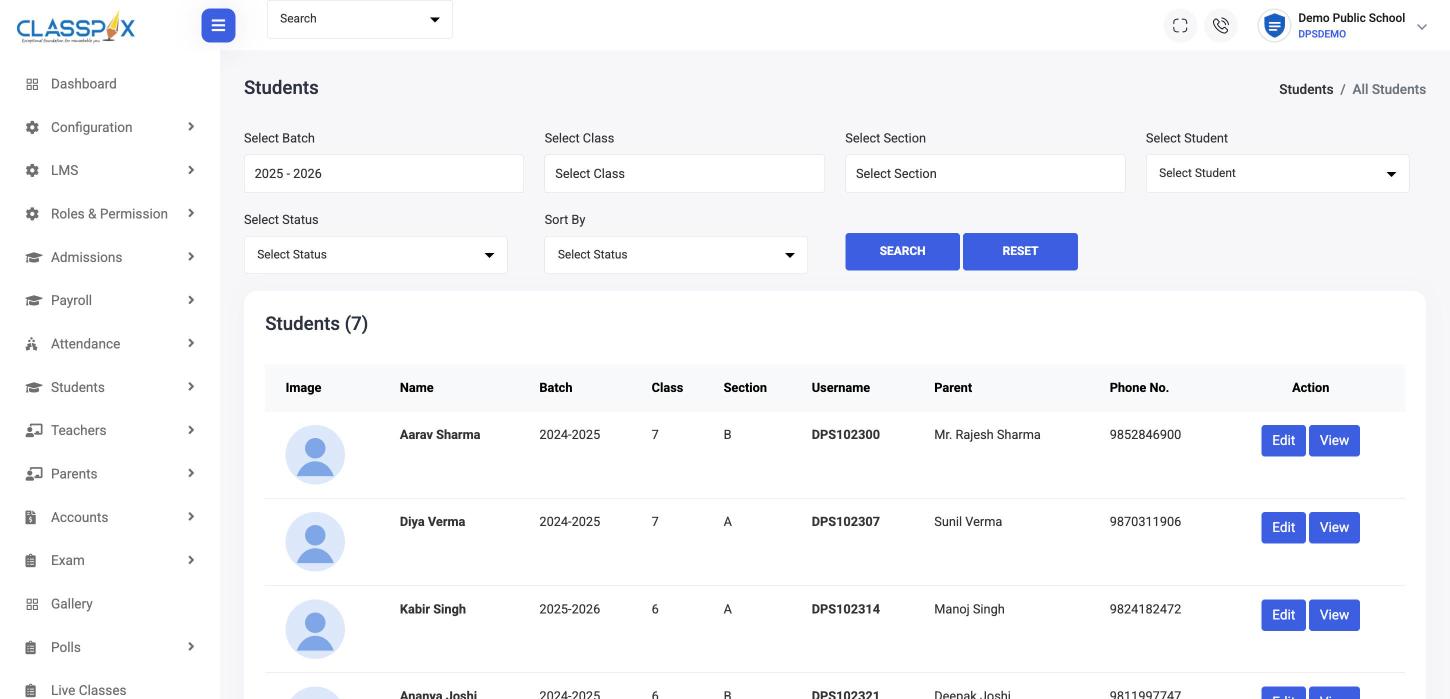
Promotion and TC when it is time — ClassPLX screen
Transfer certificates on recordBatch, class and parent on one row
TC students

What you get

  • Admission enquiries with remarks
  • Student registration and registration dues
  • Student admission and admission dues
  • Admission student list with export
  • Student bulk import and promotion
  • Transfer certificates

Connected to

  • Fee structure and concessions
  • Attendance and exams
  • Parent records and logins

Guide

School admission management software: from enquiry to the first day of class

Admission season decides a school’s year. An enquiry that is not followed up is a seat that stays empty. This is how ClassPLX runs admissions so nothing depends on a notebook or someone’s memory.

1. Record every enquiry

When a parent calls or walks in, the office records the enquiry: student name, parents, date of birth, class sought and remarks. Remarks are where follow-ups live, such as "asked about transport", "visit on Saturday" or "waiting for transfer certificate from current school". Anyone in the office can see where an enquiry stands, so a parent never hears "the person who spoke to you is not here today".

2. Registration and its fee

When the family is ready, the enquiry becomes a registration. Registration has its own fee details and its own dues list, so the cashier can see who has paid the registration fee without checking a separate book.

3. Admission and its fee

Admission is the next step, with the admission fee tracked the same way. The admission student list shows each student with registration and admission fee status, paid or due, and can be exported to Excel for management.

4. The student record is ready

Once admitted, the student appears in the student list with class, section, parents and an app login. The fee structure for that class applies, the class teacher sees the student in attendance, and the student is included in exams. Nobody retypes the details into fees, attendance or the class register.

5. Promotion and transfer certificates

At the end of the session, students are promoted to the next class together rather than one by one. When a student leaves, the office generates a transfer certificate and the student moves to the TC list, with batch, class and parent on one row for later reference.

Existing students

Schools moving to ClassPLX already have hundreds or thousands of students. These are bulk-imported from Excel, with our onboarding team doing the import and checking it with your office before go-live.

Why it matters

  • Every enquiry is visible and has a follow-up note.
  • Registration and admission fees are never collected from memory.
  • One student record feeds fees, attendance, exams, transport and the parent app.
  • The admission list and fee status are available to management at any time.

Admission management is part of both ClassPLX plans; see pricing. You can book a one-month hands-on demo to run your next admission cycle on it.

Admission management software: FAQ

Can we track admission enquiries?

Yes. Each enquiry keeps the student, parents, class sought and remarks for follow-up.

Can we import existing students in bulk?

Yes. Students can be bulk-imported from Excel.

Are registration and admission fees tracked separately?

Yes. Each has its own fee details and dues list.

Can we issue transfer certificates?

Yes. Generate a TC and keep the list of TC students.

Can we export the admission list?

Yes. The admission student list, with registration and admission fee status, exports to Excel.

Does an admitted student need to be entered again in fees or attendance?

No. Admission creates the student record that fees, attendance and exams all use.

See an admission go from enquiry to fees.

A 30-minute walkthrough of ClassPLX on a call or at your school.

Get Price on WhatsApp
30 minutes · No obligation · Hindi or English