School accounting software · Pillar 6 of 7

School accounting software: fees in, salaries out

Fee heads, fee structure, concessions, invoices, dues, fines, expenses and staff payroll in one school ERP, with reports the owner can read.

Get Price on WhatsApp
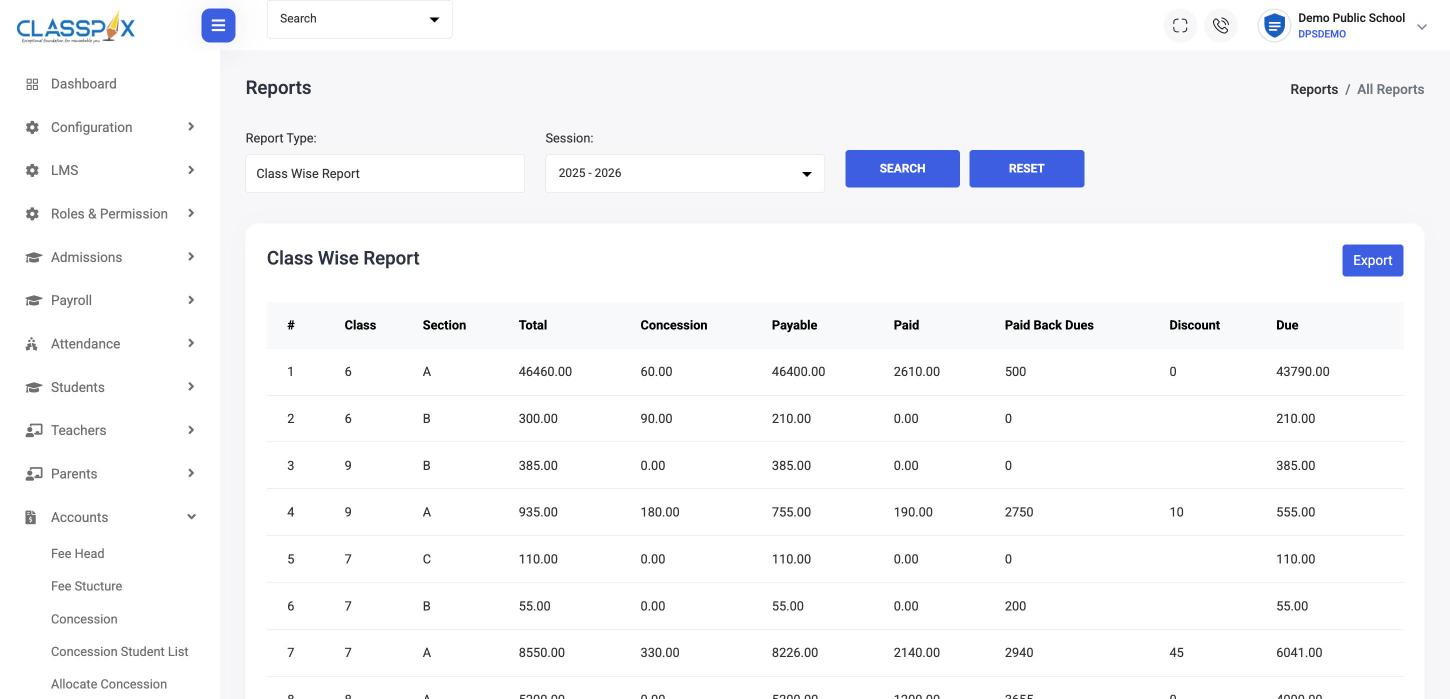
Class-wise fee report with dues — ClassPLX school management software screen
Class-wise dues in one clickConcessions and discounts trackedExport to Excel
Class-wise fee report with dues

Accounts modules

Fees

School fee management

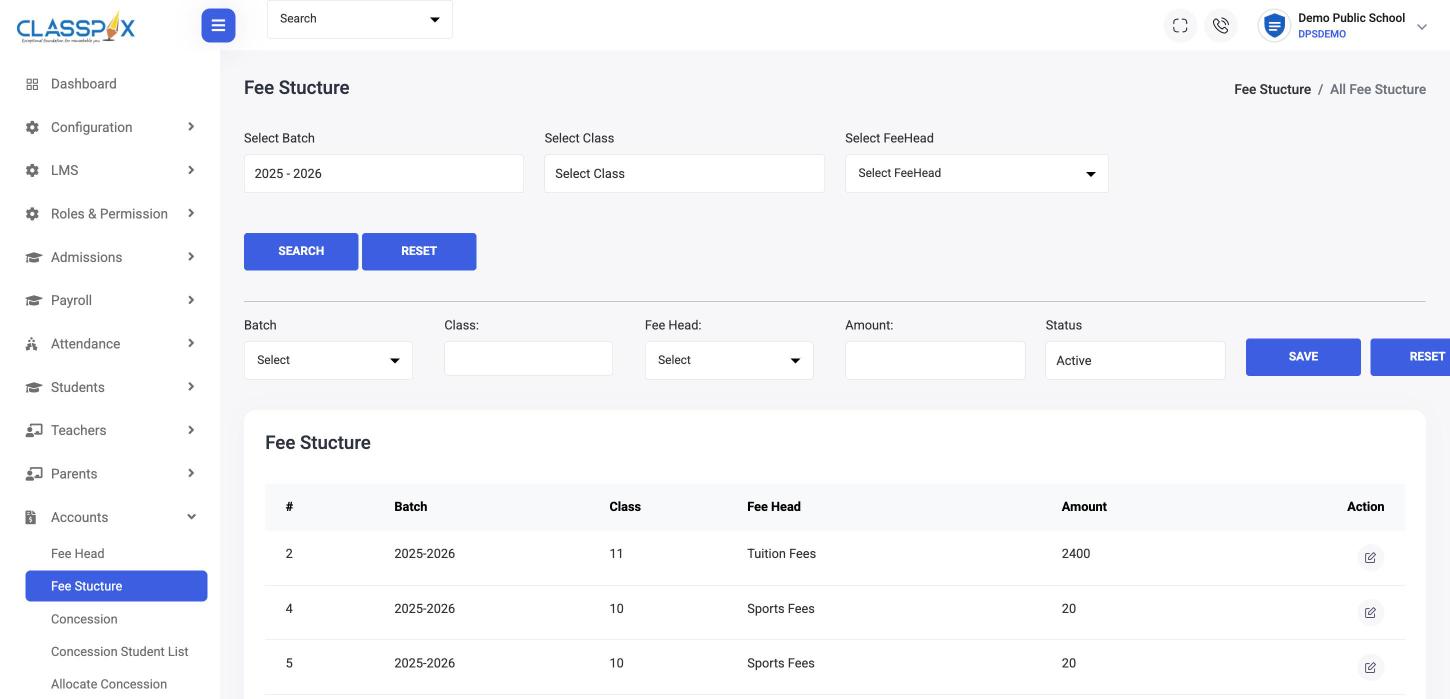
Set fee heads and the fee structure per class once a session. Concessions, discounts and fines are applied per student; invoices and dues follow.

  • Fee heads and fee structure per class
  • Concessions, discounts and fines
  • Invoices, student-wise invoices and payment slips
  • Back dues and dues slips
  • Cheque logs
Fee management software →
School fee management — ClassPLX screen
Fee heads per classSet once per session
Fee structure
Payroll

Payroll with TDS calculator

Statutory and salary components, salary templates and monthly salary runs, plus a TDS calculator for the new tax regime.

  • Statutory components
  • Salary components: basic, HRA and allowances
  • Salary templates and monthly salary
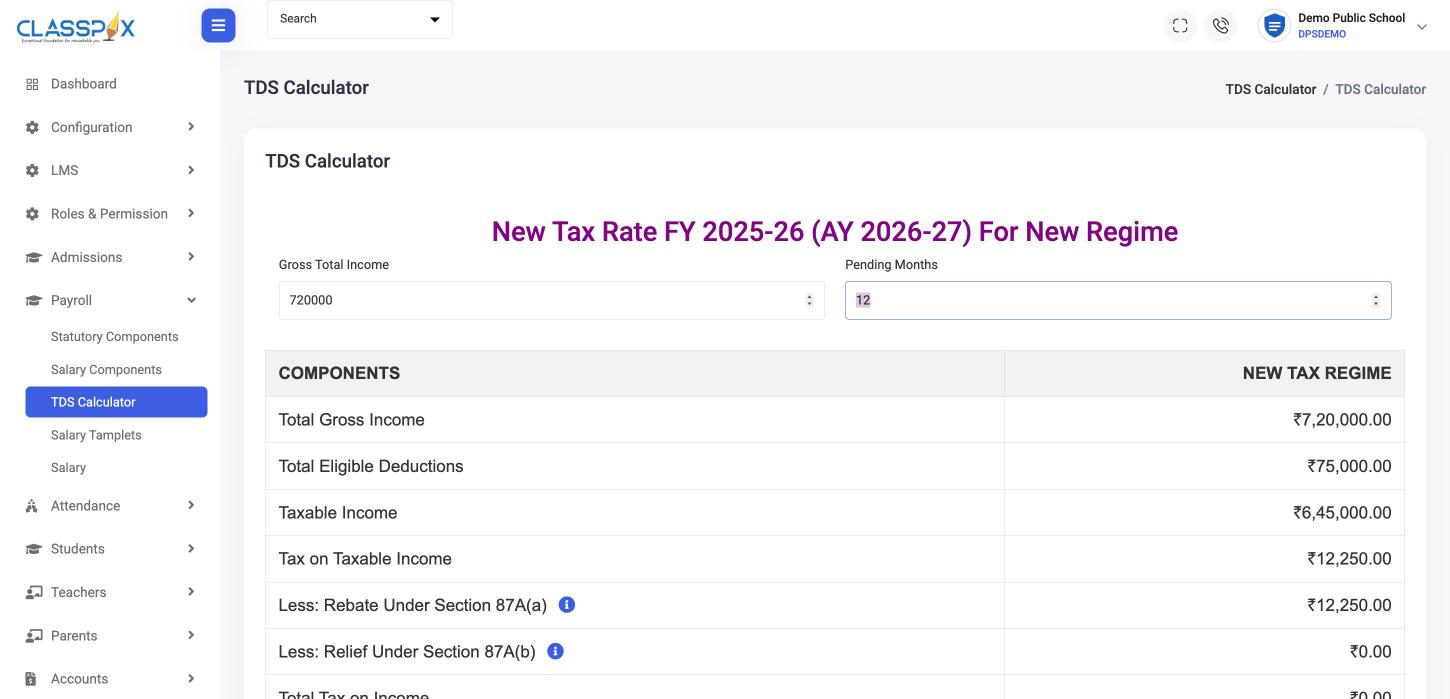
  • TDS calculator, new regime FY 2025-26
Payroll with TDS calculator — ClassPLX screen
New tax regime, FY 2025-26Section 87A rebate worked out
TDS calculator
Expenses

Expenses and transactions

Expense heads and expenses, every transaction with payment mode and receipt number, and a bin to restore a deleted invoice or transaction.

Who uses it

  • Accounts — the fee counter, expenses and the monthly salary run.
  • Chairman — collection and dues by class without asking the office.
  • Parents — dues and receipts in the app.

Guide

School accounting software: one system for money in and money out

A school’s accounts have two sides: fees coming in from parents and salaries and expenses going out. ClassPLX keeps both in the same school ERP, so the owner sees the whole picture without asking for a spreadsheet.

Fees: money in

Fee heads and the fee structure are set per class once a session. Concessions, discounts and fines are applied per student. Invoices, student-wise invoices, payment slips, dues slips and cheque logs are generated from the same records, and back dues carry forward. Reports cover class-wise, single class, fee head-wise, fee balance and dues, each exportable to Excel. Full detail on the fee management page.

Payroll: money out

Payroll starts with statutory components and salary components such as basic, HRA and allowances. Salary templates are set once per type of staff and applied each month in the salary run. A TDS calculator for the new tax regime (FY 2025-26) works out tax, including the Section 87A rebate, so the accounts team does not maintain a separate tax sheet for each teacher.

Expenses and transactions

Expenses are recorded under expense heads. Every transaction has a payment mode and a receipt number. Deleted invoices and transactions go to a bin first, so they can be checked and restored rather than disappearing.

What the chairman sees

Collection and dues by class, expense heads and the salary run are visible to the owner or chairman from their own login, without asking the office. Every receipt and edit is recorded in the audit trail.

Why fees and payroll belong together

  • Fee collection and expenses are in the same reports.
  • One login controls who can see salaries and who can collect fees.

Which plan

Fee collection and accounts reports are in both plans. Online fee collection and attendance with payroll are part of ClassPLX Plus. See pricing.

School accounts: FAQ

Can parents pay fees online?

Yes, from the ClassPLX app. Receipts and dues update the same day.

Does it handle concessions, discounts and fines?

Yes. Concessions are allocated per student; discounts and fines are recorded against the fee.

Does payroll calculate TDS?

Payroll has statutory and salary components, salary templates, and a TDS calculator for the new tax regime (FY 2025-26).

Which fee reports are available?

Class-wise, single class, fee head-wise, fee balance and due reports, each for a session and exportable.

Can deleted invoices be recovered?

Yes. Deleted invoices and transactions go to a bin first and can be restored from there.

Does payroll support salary templates?

Yes. Salary templates are set once and used for the monthly salary run.

See your fee structure and dues in a demo.

A 30-minute walkthrough of ClassPLX on a call or at your school.

Get Price on WhatsApp
30 minutes · No obligation · Hindi or English